Top 5 Wireless CarPlay Adapters for 2026
Tired of fumbling with USB-C or Lightning cables every time you step into your vehicle? While Apple CarPlay revolutionized in-car infotainment, wired-only factory setups remain one of the most frustrating compromises in modern automobiles. Fortunately, aftermarket wireless CarPlay dongles have matured rapidly. In 2026, you no longer need to spend thousands upgrading your head unit to enjoy seamless, cable-free smartphone integration.
Converting your factory wired system into a wireless powerhouse takes less than two minutes. Below, we break down why making the switch is worth it, the crucial hardware features you must look for, and our top 5 recommendations for this year.
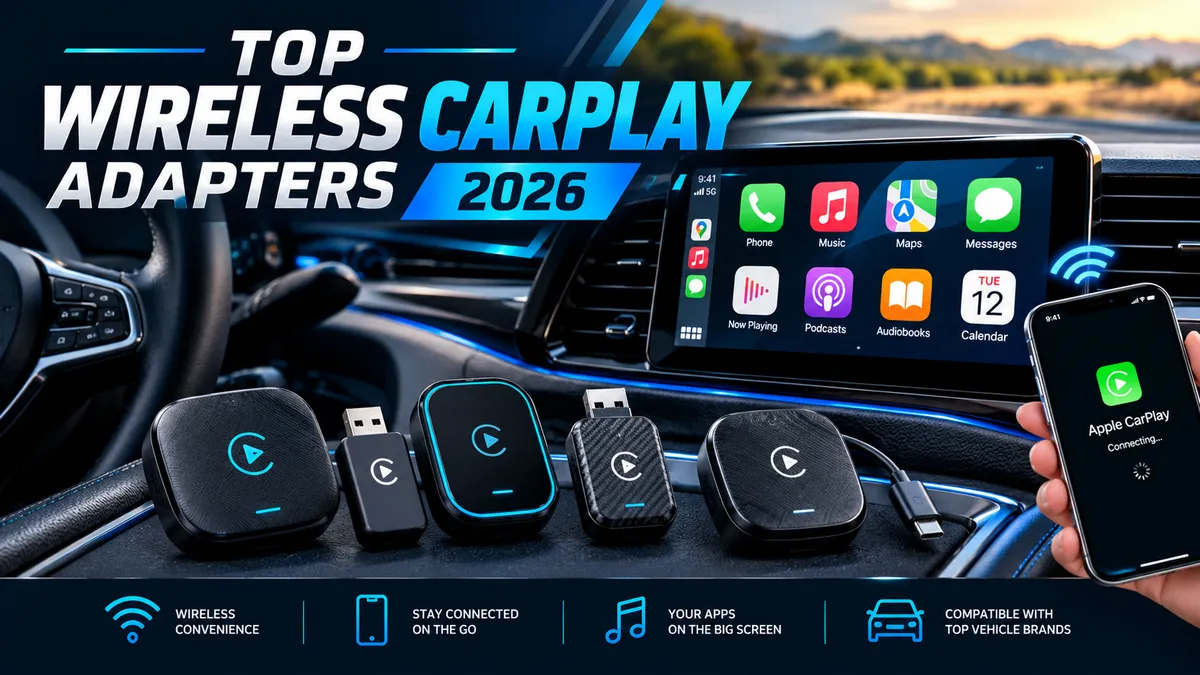
Why Convert to Wireless CarPlay?
For most drivers, short commutes and daily errands make plugging in a phone a repetitive chore. Wireless CarPlay adapters bridge the gap between your car's factory infotainment system and your iPhone without requiring permanent dashboard modifications.
Here are the primary reasons automotive tech enthusiasts are making the switch:
- Daily Convenience: Leave your phone in your pocket, jacket, or purse. The moment you start your ignition, your navigation maps, Spotify playlists, and messages boot up automatically on your dashboard screen.
- Reduced Wear and Tear: Constant plugging and unplugging degrades your iPhone's charging port and wears out charging cables over time.
- Cleaner Cabin Aesthetics: Eliminate unsightly, tangled cables cluttering your center console, cup holders, and shifter area.
- Preserved Factory Functionality: Top-tier adapters retain all your OEM controls, including steering wheel media buttons, center console rotary dials, touchscreens, and built-in Siri voice commands.
Our Top 5 Recommendations for 2026

Ottocast Wireless CarPlay Adapter
- Converts factory wired CarPlay to wireless in 15 seconds
- 5GHz Wi-Fi module for low-latency audio and navigation
- Plug & Play USB dongle with automatic reconnection

CarlinKit 5.0 2air Adapter
- Plug and play design
- Supported for iPhone 6 and later
- iOS 10 and later

AAWireless TWO+ Wireless Adapter
- Android Auto & Apple CarPlay
- Plug & play setup
- Compact design

AutoSky Wireless CarPlay Adapter
- Apple CarPlay and Android Auto
- Bluetooth 5.3
- Plug & Play Setup
Detailed Breakdown of Key Hardware Features
Not all wireless CarPlay adapters are built equal. Early generation devices suffered from severe audio delay, dropped connections, and overheating. The modern 2026 standard demands high-performance internal hardware. Here is what you must prioritize when buying:
1. 5GHz Wi-Fi + Bluetooth 5.0 Auto-Connect
The handoff process requires two distinct wireless protocols working in tandem:
- Bluetooth 5.0 (or 5.2): Handles the initial handshake when you enter the vehicle. It identifies your phone and establishes the primary authentication.
- 5GHz Wi-Fi: Once authenticated, the connection immediately transitions to high-bandwidth 5GHz Wi-Fi. Standard 2.4GHz Wi-Fi is too slow and prone to radio interference in busy traffic. A dedicated 5GHz module guarantees smooth 60fps display rendering.
2. Plug and Play via USB-A / USB-C
Modern vehicles use a mix of legacy USB-A ports and newer USB-C power delivery connections. The best 2026 adapters ship with pass-through braided USB-C to USB-C and USB-C to USB-A cables out of the box. True plug-and-play operation means zero drivers, zero extra mobile apps to install, and zero complex wiring.
3. Low-Latency Audio and Navigation
Early adapter generations suffered from noticeable audio delay when skipping tracks or taking phone calls. Modern 2026 hardware utilizes upgraded dual-core processors and optimized buffer firmware, keeping latency within a responsive 300ms window. Navigation prompts align accurately with your real-time GPS location, and steering wheel media skip buttons respond promptly.
Installation Tips and Troubleshooting Delay Issues
Setting up a wireless CarPlay adapter is straightforward, but improper initial configuration can lead to stability issues. Follow these pro tips for a flawless setup:
Step-by-Step Setup Guide
- Forget Existing Connections: Before plugging in the adapter, go to your iPhone's Bluetooth settings and select "Forget This Device" for your car's native Bluetooth system. Keeping both connected can cause routing conflicts during startup.
- Plug into the Data Port: Ensure you plug the adapter into the data-capable USB port (usually marked with a phone, screen, or grid icon), not a power-only charging port.
- Initial Pairing: Turn on your vehicle's ignition. Search for the adapter's Bluetooth ID on your iPhone, tap pair, and accept the prompt asking to "Use CarPlay".
How to Fix Lag or Disconnection Issues
If you experience buffering, stuttering audio, or black screens, try these troubleshooting steps:
- Update Firmware via Web Interface: Most premium adapters feature an internal web configuration panel. Connect your phone directly to the adapter's Wi-Fi network, open Safari, and type
192.168.50.2(for CarlinKit) or192.168.1.101(for Ottocast) into the address bar. From here, you can push over-the-air (OTA) updates to fix vehicle compatibility bugs. - Adjust Audio Delay Buffers: Within the IP configuration menu, look for settings labeled "Audio Delay" or "Frame Rate." Increasing the buffer slightly (e.g., from 300ms to 500ms) can stabilize connections in vehicles with older factory head units.
- Clear Wi-Fi Channel Interference: If your connection drops in specific dense urban locations, change the Wi-Fi broadcast channel inside the adapter's backend settings from dynamic to a fixed channel (e.g., Channel 36 or 149).
Final Verdict & Recommendation
Upgrading to wireless CarPlay is easily one of the best quality-of-life enhancements you can buy for your car in 2026. It modernizes older interiors, speeds up your daily routines, and keeps your cabin clutter-free.
When making your purchase, avoid ultra-cheap generic dongles that lack 5GHz Wi-Fi support or OTA firmware updates. Stick to proven manufacturers like Ottocast and CarlinKit that actively maintain hardware compatibility across vehicle brands. Verify that your car already has factory-installed wired CarPlay—as these adapters convert existing systems rather than adding CarPlay to unsupported screens.